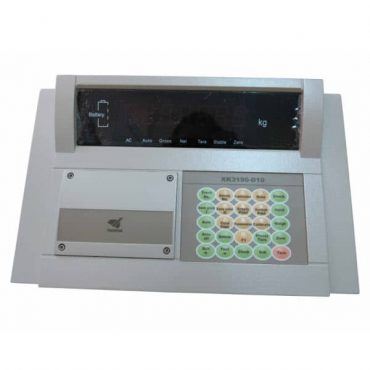
KALA weighing control
Weight Indicator for Scale Display and Data Control
Weight Indicator support clear weight display, calibration, communication, printing and connection to weighing software for daily industrial operation.
Stable display and operator-friendly setup.
RS232, RS485, printer and system connection options.
Parameter setup and service support for weighing systems.
The Load Cell produces a voltage signal proportional to the load (typically 2-3 mV/V). The indicator supplies excitation power to the Load Cell, receives and amplifies the signal, converts it from Analog to Digital (A/D), applies a digital filtering algorithm, then displays a stable weight value.
Depending on the application, you can choose a high-brightness LED (easy to read outdoors), an LCD with backlight (power-saving), or a large LED display for remote viewing at a truck scale station.
| Interface | Application |
|---|---|
| RS232 | Computer, printer |
| RS485 | Long-distance transmission |
| Ethernet | Local network |
| Modbus RTU/TCP | PLC, SCADA |
- • Zero, Tare, Preset Tare, Gross/Net
- • Hold, Accumulate, Peak Hold
- • Check Weighing (HI/OK/LO)
- • Animal Weighing for livestock scale applications
Not every application needs an indicator with many features — choose according to your scale type, number of Load Cells, environmental conditions, and PLC/computer connection needs, to optimize your investment cost.
Send your scale type, load cell quantity, display needs, and communication ports. KALA’s technical team will recommend a suitable indicator.
Showing all 8 results
- Kala Weight System
- Kala Weight System
- Kala Weight System
- Kala Weight System
- Kala Weight System
- Kala Weight System
- Kala Weight System
- Kala Weight System